In today’s world of connection, the way we work with networks and computers is changing rapidly. If you are managing a busy server room, setting up a high-performance workspace, or a broadcast control center, one challenge keeps cropping up: cable limitations. The traditional setups require you to stay close to your machines. This creates clutter, restricts flexibility, and limits how far your control signals or videos can travel.
If you are looking to break free from cable length constraints while having keyboard, video, and mouse control, a DVI KVM Extender is the game-changer for you. This technology allows you to control systems from remote locations without any signal loss. This helps to simplify your setup and enhance performance.
Here’s how it works and why it is worth considering.
Understanding the Cable Limit Problem
Before you dive into what a DVI KVM Extender does, let’s know why extended cabling matters.
The standard USB and DVI connections are the best for short distances, such as a few meters. But once you need to run cables farther than this, the video quality decreases. USB devices lose responsiveness, and keyboards or mice lag or fail entirely. This becomes problematic when:
- You have servers in a secure room, and want to control them from workstations anywhere else.
- You are about to build a security control room, broadcasting room, or production facility.
- You want to reduce heat, noise, and clutter by taking your equipment away from the user area.
In such conditions, traditional cabling setups aren’t enough. That’s where a DVI KVM Extender steps in.
What is a DVI KVM Extender?
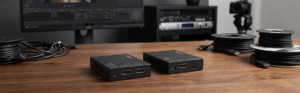
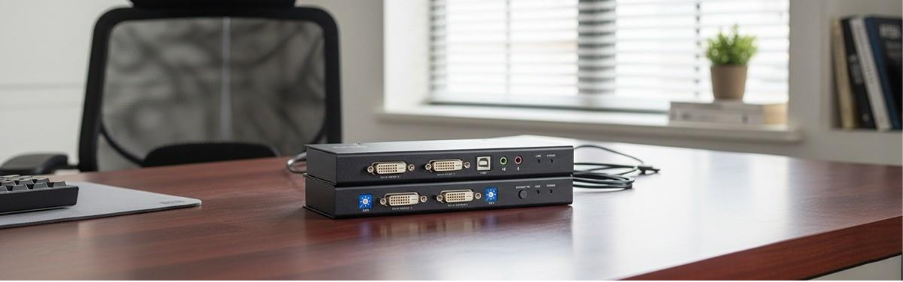
Essentially, a KVM Extender gives you the ability to extend your computer’s DVI video beyond the limits of normal cables. Rather than connecting your Keyboard, Monitor, and Mouse to the CPU, it employs a transmitter connected to the computer system and a receiver at the remote console.
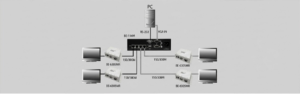
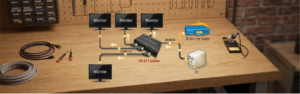
This system transports DVI video and control signals over distance using pre-existing infrastructure. As a result, it delivers crystal clear images and responsive control no matter how far away you are from the host system. A typical KVM Extender setup includes two main components: This device connects directly to your computer’s DVI port and USB ports. It captures the video output and keyboard/mouse signals. This unit connects to your monitor, keyboard, and mouse at the remote location. It receives the transmitted signals and converts them back so you can interact with the host system as if it were right beside you. With a KVM Extender, you can place your peripherals far from the actual machine — whether that’s across the building, in another room, or across campus. This eliminates the need to run bulky DVI/USB cables in long bundles. Unlike compressed signal solutions, many DVI extenders transmit lossless video, preserving your display quality and accurate colour performance. Since standard DVI doesn’t support audio, these extenders focus on keeping video crisp and sharp — ideal for graphics, control panels, and professional workstations. Durably made extenders also transmit keyboard and mouse strokes with minimal delay, so you’re looking at near real-time control as if you were right at the machine. This response is necessary for remote work, broadcasting, CAD, and other technical feeds in any environment where lag-free interaction is required. By moving hardware into centralised rack rooms or otherwise secure locations, you can reduce the amount of noise output, allow for improved environmental cooling, and deter unauthorised access to sensitive systems -while keeping operator workstations nice and tidy. Some advanced DVI KVM Extender systems — especially those that operate over IP — let you build complex networks where multiple transmitters and receivers can link to each other, creating scalable, matrix-style access to many computers and consoles. This is ideal for a corporate environment, command center, or collective workspaces. Have you ever been annoyed by too-short cables or clunky hardware setups? You can finally bid farewell to distance limitations! With advanced flexibility, superior video quality, and interactive control from anywhere across a network, the KVM extender is an ideal solution for today’s IT, AV, or professional workflow. Whether you’re outfitting a server room, control centre, or cables that held you back, the right DVI KVM Extender gives you freedom — without compromising performance. Browse our selection of extenders online now at Beacon Link Inc. today! The KVM Extender lets you control a computer from up to 150ft (50m) away by extending the DVI and Peripheral signals from the computer to a remote location. Good KVM extenders, and in particular the ones that transmit “Point-to-Point” over CAT6 or Fiber, certainly have almost no discernible delay. This makes them suitable for real-time things like video editing or industrial monitoring. With typical CAT6 cabling, extenders typically achieve up to 100 meters (328 feet). If you need to go farther, Fiber Optic KVM extenders can be pushed out 10 kilometers or more. No. Professional KVM extenders are “Plug-and-Play.” The signal conversion and transmission are imperative and taken care of by the hardware. To your OS, it will simply see a directly connected display and regular USB HID. Standard models support one monitor (Single Head). There are, however, “Dual Head” or “Quad Head” KVM extenders DVI for multimonitor workstations, each with multiple network cables to transmit the extra video data.
1. Transmitter Unit
2. Receiver Unit
Key Benefits of Using a DVI KVM Extender
1. Extend Beyond Traditional Cable Limits
2. Superior Video Quality
3. Responsive Keyboard & Mouse Control
4. Cleaner, More Secure Setups
5. Scalability and Flexibility
Wrapping Up
FAQs
1. What is a DVI KVM-Extender, and what does it do?
2. Are DVI KVM Extenders adding delays (latency) to the signal path?
3. What is the farthest distance that you can extend DVI signals?
4. Do you have to install software or drivers?
5. Can you use one KVM DVI Extender to drive multiple monitors?