In many IT infrastructures, distance can become a serious limiting factor. Whether you are managing servers, operating systems, or running multiple displays, traditional cable connections restrict how far you can place your equipment.
Standard USB and VGA connections work well for short distances. However, once you start to extend them across large spaces, signal loss and performance issues begin to occur. Display screen flickers, mouse control becomes unreliable, and keyboard commands lag.
This is where a CAT5 VGA KVM Extender emerges as an essential solution. By extending keyboard, video, and mouse signals, this device allows users to control systems from far greater distances without sacrificing performance.
Let’s explore the common problems businesses face and how the CAT5 VGA KVM Extender solves them.
The Problem: When “Right Next to It” Isn’t an Option
Standard peripheral cables were never designed for long-range travel. Copper VGA cables are costly, big, and have a very high sensitivity to electromagnetic interference. Daisy chain them, and you’ll notice a drop in resolution (or brightness).
Moreover, having your computer right at your desk isn’t always the best setup. In industrial settings, heat and dust can kill hardware quickly. In a recording studio, fan noise can ruin a take. You need a way to keep the “brains” of your operation in a safe, climate-controlled server room while maintaining full control from your workstation.
The Solution: The CAT5 VGA KVM Extender
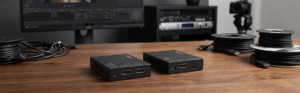
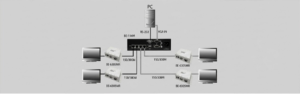
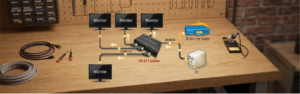
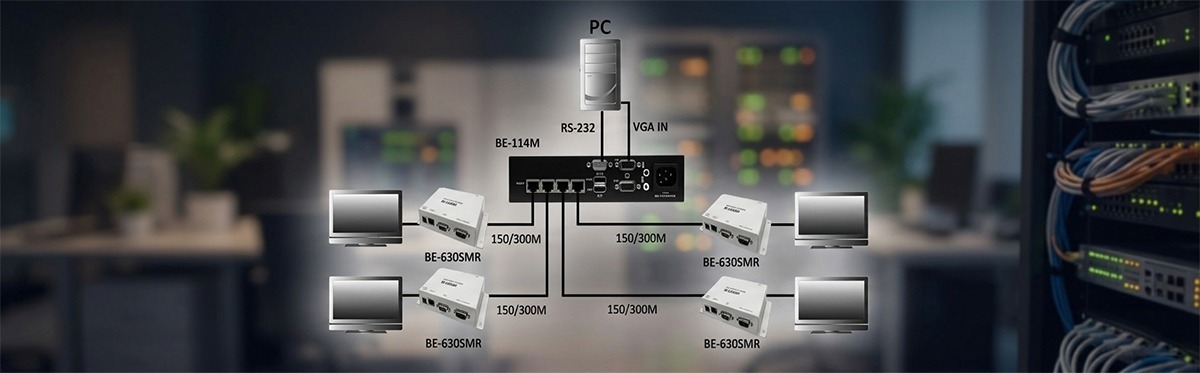
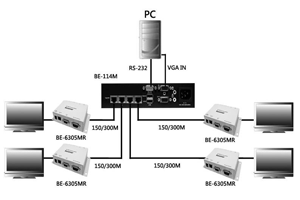
A CAT5 VGA KVM Extender consists of two units: A Transmitter (Local) and a Receiver (Remote).
- The Transmitter connects to your computer’s USB and VGA ports.
- The Receiver sits on your work desk. It connects with your monitor, keyboard, and mouse.
- The Bridge: A single cost-effective CAT6 or CAT5 link the two. This carries high-quality data and video over hundreds of feet.
By using the Beacon Link Inc. category of products, you will gain the ability to operate your system as if it were just under your desk, even though it is actually 1,000 feet away in another part of the building.
Key Benefits of Making the Switch to CAT5 VGA KVM Extender
1. Incredible Extension Distance
A standard VGA cable provides about twenty-five feet of use, but a CAT5 KVM Extender will allow you to extend that distance up to around a thousand feet. This allows for complete flexibility in where you place your hardware.
2. High Resolution Video Quality
Distance kills resolution, but modern CAT5 VGA KVM Extenders have built-in signal compensation. They support resolutions of up to 1920 by 1200. This means your spreadsheets and video feeds are free of artifacts, even at the far end of the long cable.
3. Protection Against Harsh Environments
There are locations, such as factories or warehouses, in which computers face extreme vibrations, dust, and temperature. Using an extender allows you to lock the PC in a clean and secure server room. This protects your investment while the user operates it from the production floor.
4. Cost-Effective Infrastructure
Big VGA cables are not cheap to pull between walls. CAT5e/6 cabling is light, cheap, and probably already installed in the walls of your building. This saves you a lot on labor and material during installation.
The Bottom Line
Distance limitations can create major obstacles in modern IT environments. Traditional VGA and USB cables simply cannot support the long-distance connections required by today’s complex systems.
One effective solution is a CAT5 VGA KVM extender by Beacon Link Inc. By sending video and control signals down Ethernet cables, users can use their computers from a distance without losing much performance.
Whether you control room systems, manage servers, or industrial equipment, the right extender can revolutionize how you access and control your technology.
Distance is no longer a hindrance with the right setup; it’s become a plus.
FAQs
1. Does a KVM extender require software or drivers?
No. Most high-quality CAT5 VGA KVM extenders are hardware-based and OS independent. They operate at the physical signal level, so there’s no software to install on your computer.
2. Can you use a network switch with these extenders?
Most standard CAT5 extenders require a direct, “point-to-point” connection via a dedicated cable. You generally cannot plug them into your existing office network switch unless they are specifically labeled as “KVM over IP” models.
3. Will your video quality suffer at the maximum distance?
Signal degradation can be a concern. However, most extenders are equipped with equalization and gain controls. This means you can fix the signal automatically or manually to keep it sharp even over hundreds of feet.
4. Can you use CAT6/7 cables instead of CAT5?
Yes. It’s easy enough to use CAT6/7 in place of CAT5 cables. Indeed, in “noisy” electrical environments, a higher-category cable with better shielding will generally result in improved performance of video.
5. Do these extenders support wireless keyboards and mice?
Yes. Standard HID (Human Interface Device) peripherals should be compatible with most modern USB KVM extenders. This applies to the USB dongles for a lot of wireless mouse or keyboard sets.