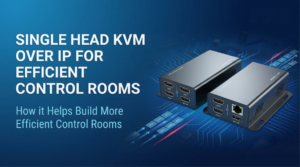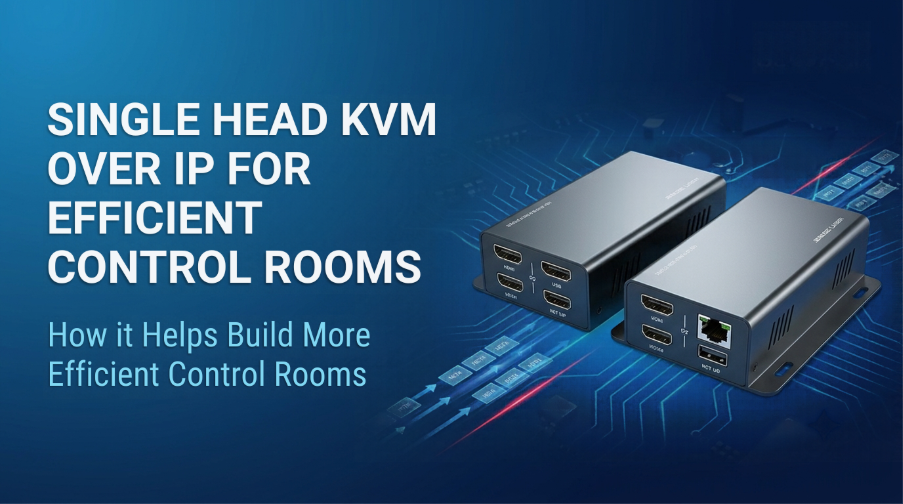
Control rooms rely heavily on accurate data, rapid response times, and dependable connectivity to the essential computers. Regardless of whether you manage security monitoring, broadcast operations, transport networks, or industrial processes, extraneous hardware and intricate procedures will reduce the speed at which your staff can perform their duties.
This is where Single Head KVM over IP technology can make a practical difference. With this capability, operators can use networks to operate and manage computers at different locations. This provides an alternative way for operators to use the keyboard, monitor, and mouse that is typically available to them when they are physically present next to the computer.
For organizations considering either a new control room setup or an upgrade of an existing control room, The Beacon Links Inc. provides several options for Single Head KVM over IP solutions that should be considered.
Reduce Equipment Clutter and Create a Cleaner Workspace
The image of a security monitoring center with several computer systems taking up valuable real estate on the operators’ desks is one that comes to mind. Operators have to manage all types of cables and other equipment racks and make numerous connections to peripherals in order to keep track of critical data.
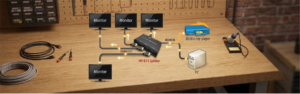
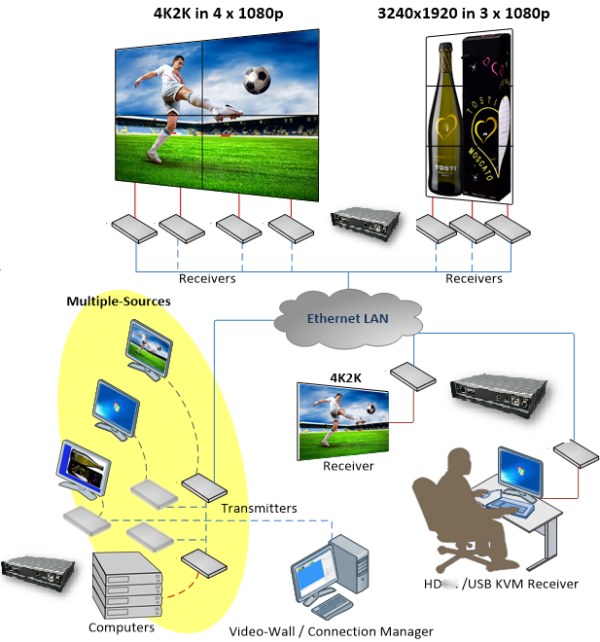
A Single Head KVM over IP arrangement moves computers away from operator desks while keeping their interfaces accessible. The local transmit unit is connected to a computer, and the remote receive unit is connected to a monitor, keyboard, mouse, and any other device that can be used with it.
This arrangement helps organizations:
- Reduce the amount of computer hardware at operator desks.
- Keep cables and connections better organized.
- Improve access to equipment housed in dedicated technical rooms.
- Create a more comfortable workspace for extended shifts.
Less clutter makes a difference when operators need to concentrate on several tasks at once.
Access Computers Across a Network
Traditional setups require operators to sit close to the computers they control. That arrangement can become restrictive when an organization distributes equipment across different rooms.
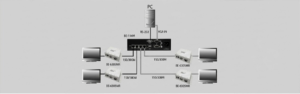
A Single Head KVM over IP solution can extend computer access over a Gigabit Ethernet network. The Beacon Links Inc. category is supported by Point-To-Point connections using CAT5e or CAT6 cables and also supports Point-To-Many configurations through a Gigabit Network Switch. If you are going to use more than one transmitter, then you will need to utilize a Managed Switch with IGMP Support.
Consider a transportation control center. Computers run separate traffic monitoring, scheduling, and incident management applications. The use of a separate equipment area for these devices allows for an orderly organization within the user’s workspace, but also provides for authorized individuals to use remote connections to view and operate the equipment. The setup will depend upon which type of system is being used, how the networks are laid out, and the number of user workstations.
Support Video Walls and Centralized Monitoring
Modern control rooms make use of many different display options to show users their operational dashboards, alerts, camera views, and other relevant information. A video wall brings important visual information together, helping teams identify issues and coordinate responses.
Beacon Links Inc.’s product category includes Single Head KVM over IP models with video wall support. We describe categories of available systems with configurations from 1 x 2 through 8 x 8 screens. Models vary; therefore, please confirm the screen configuration that will be supported by your system prior to ordering.
| Control room requirement | Potential benefit |
| Dedicated computer room | Keeps operator desks free of unnecessary hardware |
| Remote keyboard and mouse access | Allows staff to control supported computers from another location |
| Video wall integration | Presents selected information across multiple displays |
| USB peripheral support | Connects compatible devices at the remote workstation |
| Network-based distribution | Supports flexible equipment placement |
Conclusion: Is It Worth the Investment?
Organizations with a need for remote computer access, workstation organization, and centralizing equipment should find that a Single Head KVM over IP solution can improve the efficiency of their daily operations in a control room. In addition, the economics are also improved by reducing the time/expense required to install the system, providing compatibility with current operational practices (workflows), and accommodating potential expansion through the use of additional equipment rather than requiring hardware replacement.
Explore The Beacon Links Inc.’s KVM over IP solutions to compare the available options and identify a configuration suited to your facility.
FAQs
1. What is Single Head KVM over IP?
This product is a hardware-based solution for extending computer access (via keyboard, video, and mouse) across an IP network. It supports one display output per relevant connection.
2. Can I use KVM over IP in a security control room?
Yes. It provides remote access to supported computers that are utilized for monitoring and managing incidents. However, network security and access controls remain crucial.
3. Does a KVM over IP system support video walls?
Some models do. Verify that your chosen product supports the screen layout types you wish to use, as well as resolution requirements for your display and video walls.
4. What network equipment do I need?
Requirements depend on your configuration. We specify Gigabit networking for its category, with a managed IGMP-compatible switch required for multiple transmitters.
5. How do I choose the right Single Head KVM over IP solution?
Start by checking your resolution, display connections, network infrastructure, peripheral requirements, access needs, and plans for future expansion. Compare individual models against those requirements before purchasing.